

Overview
The Audience page (/contacts) is where you manage everyone who receives your emails. It has four tabs: Contacts, Tags, Segments, and Topics.
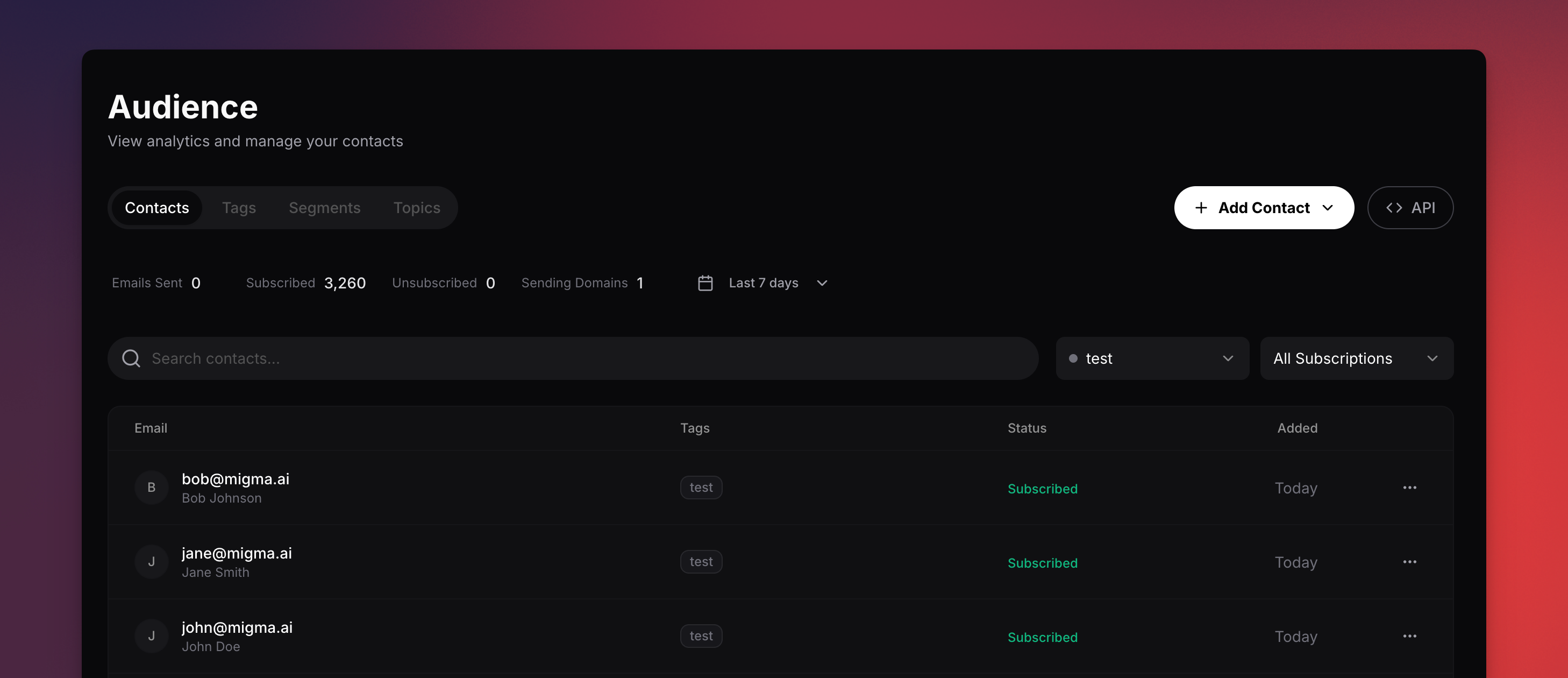
Contacts
Store and manage individual subscribers. Each contact has:- Email (required, unique per project)
- Name, country, language
- Status:
subscribed,unsubscribed,non-subscribed, orbounced - Tags for organization
- Custom fields for any extra data
- Add a single contact or bulk import via CSV
- Edit, delete, or view activity history for any contact
- Search by email or name, filter by status or tags, sort by date/email/name
- Select multiple contacts for bulk edit or bulk delete
Tag System
Tags let you label and organize contacts. Each tag has a name, color, and optional description. Use tags to:- Categorize contacts (e.g.,
VIP,Newsletter,Customer) - Filter the contact list
- Target campaigns by tag
- Create, edit, and delete from the Tags tab
- Apply tags when adding or editing a contact
- Bulk-apply or bulk-remove tags on multiple contacts
- Each tag shows its subscriber count
Segments (Dynamic Audiences)
Segments are saved filter groups that automatically include matching contacts. They update in real time as contacts change. Filter by:- Tags — contacts must have the selected tags
- Status — e.g., only subscribed contacts
- Custom fields — match specific field values
- Target campaigns at a precise group
- Preview how many contacts match before sending
- Reuse the same targeting criteria across multiple campaigns
Topics (Preference Categories)
Topics are subscriber-facing preference categories. They appear in your preference center so subscribers can choose which types of emails they want. How topics work:- You create a topic and set it as opt-in (subscribers must explicitly subscribe) or opt-out (subscribed by default)
- Topics can be public (visible in preference center) or private (internal only)
- When a subscriber toggles a topic, their subscription preference updates automatically
Data Validation
Migma validates email addresses to protect your sender reputation. Validation statuses:- Valid — safe to send
- Invalid — will bounce, remove from list
- Risky — disposable or role-based, monitor closely
- Unknown — not yet validated
Programmatic Access
Manage contacts, tags, and segments via the SDK, CLI, or API.Next Steps
Manage Contacts
Add and organize subscribers
CSV Upload
Bulk import contacts
Send a Campaign
Send emails to your audience
Preference Center
Let subscribers manage their preferences